Showing posts with label Photographic Reference for Artists. Show all posts

CLIP ART FOR ARTISTS - ROSES now on iBooks

At some point in an artist's life, "how to paint" becomes less important than "what to paint." 

 Here's my latest project: Clip Art iBooks for artists - a series of inexpensive and beautiful photographic resource material made for iBooks. 

ROSES Book 1, 214 pages of roses by Judith Hope Brown. 

For a few years I've been using some of Judith Hope Brown's photographs for reference and discovered that she had a treasure trove of images!

  She was willing to team up and we decided to publish clip art books for artists by specific categories to make it easier to find what is needed. iBooks seemed to be the ideal venue - photographs that are high resolution and backlit on an iPad screen are far superior to a print with a limited range of color and value.

ROSES Book 3, 219 pages of roses by Judith Hope Brown

All three volumes of clip art photographs of ROSES are shot in natural light and are packed with full page reference photos. They are copyright free for artists to use in their art. 

There are about 200 full page photos in each book (more would be difficult to download). A traditional print book would probably cost more than the iPad or Mac requited to view it.

Click on the covers to download free samples and let me know what you think.

The whole collection is here. (More clip art books to come)

NOTE REQUIREMENTS: To view these iBooks, you must have an iPad with iBooks 3 or later and iOS 5.1 or later, or a Mac with iBooks 1.0 or later and OS X 10.9 or later.

Until the technology catches up in Kindle format (not full page, 16 shades of gray) these book are ONLY available on iBooks. 

The #1 Job of a Portrait Painter


There is a real art to taking a good photographic reference for a portrait.

Costume, props, pose and a few (surprising to some) rules will help turn the ordinary into the extraordinary.

There are nearly 200 pages of copyright free photographic reference material in Old Master Portraits, Volume I 


Here's a little peek at a few... 
(sorry they are so darn small).


OLD MASTER PORTRAITS, VOLUME I, Photographic Reference for Artists

Copyright Free Photographic Reference For Artists ~ now on iBooks 


I use these photos to make sketches ~ to study lighting and work out interesting shadow patterns for paintings.

As in this drawing above (from photo in Volume I, page 19), I usually draw on toned paper since I paint on a toned canvas. This is cheap brown typewriter paper I found in a stationery store. Oftentimes I draw on brown wrapping paper as I like the tooth and the tone.

If I were drawing to figure out a likeness, I'd use a larger paper (this is only 7" high).


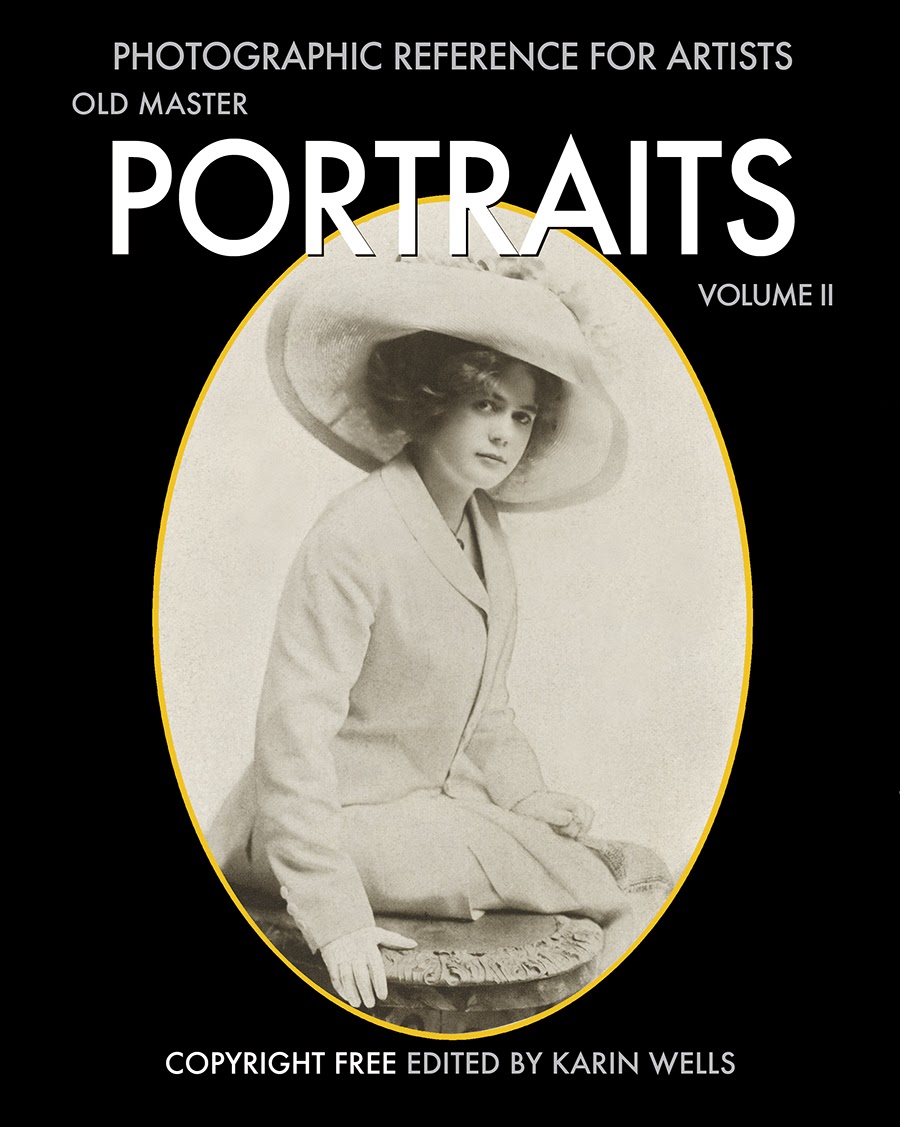
This is the first half of a beautiful collection of rare vintage photographic portraits of stage actors that were originally published in 1911. 


As as body of work, they offer some stunning and insightful lessons to enable us to recreate the nearly lost art of classical portraiture. 


These old-time photographers knew how to use a camera’s lens - like the Old Master painters used a brush. 


They could turn an ordinary person into an extraordinarily beautiful picture. 

The introduction to this collections, points out what to look for, what they knew, and how they accomplished these masterful portraits. 


I'll repeat some of this as a separate post for those of you who cannot access iBooks.

 Copy them. Study the lighting and the pose. Examine the costumes, props and settings. Understand why these photos are so good and let them inspire your work.

And yes, there are photos of men too... but because of the costumes, they just aren't as "interesting."


This book is way to big for this blog... nearly 300 pages of delicious Old Portraits.  Thus I am offering my iBook as a way to reach more artists because I have found good reference material very useful.

The technology just isn't there for devices other than the iPad with iBooks 3 or later and iOS 5.1 or later, or a Mac with iBooks 1.0 or later and OS X 10.9 or later.

The cost of a print book would be astronomical and the iBook (although it is a lot of work on my end) can be owned for the price of a fancy greeing card ($4,99 USD).

All images are copyright free for artists to study and use.

Enjoy!


The iPad is the Best Tool in my Studio


Painting from life is a luxury that many of us don't have. 

The backlit photograph is so much better than a printed photo to display photographic details of a subtle range of value. 

 I load my iPad with reference photos, clip it to my easel and I’m ready to paint. 

 Here's how to take a screen shot of any page ~ like this:


 First, make sure your screen is at its brightest setting. 

Press the POWER button at the top right of the iPad and the HOME button at the bottom of the screen at the same time for a second. You’ll see the screen flash white for an instant and you’ll hear the camera shutter sound. 

That’s it. Simple. 

Here is a screen shot I just took from my iBook, Old Master Portraits Volume I


Once you’ve done that, you can go to the Photos app and see your screenshot in the Camera Roll Album. From there you can use iCloud, email it to yourself and/or play with it on your computer if you wish. 

Here's another screen shot from my iBook:


On your iPad, you can enlarge or manipulate it with an app like InstaEditor, (one of many free photo apps available).

The iPad has a Kindle App for book reading...but if you want to view beautiful photos too, consider the iPad. 

The average Kindle reader (Kindle, Android, etc.) tends to display a poor quality photo in a mere 16 shades of gray (yuck).  I am sure that the technology will someday catch up to the current iPad.

I do believe that even Apple does not yet fully understand the possiilities of their iPad's use in the field of art. It really is the electronic gadget for those of us who are visual.